Capture it.
Done.
Add tasks with your voice, type with smart dates, or let AI handle the rest. TaskJunky gets out of your way.
-01_Sidebar.png)
Just say it. It becomes a task.
Continuous voice capture that actually works. Speak naturally — Outloud adds tasks as you go. No stopping, no restarting, no forms.
Pick up dry cleaning tomorrow...
Continuous capture
Keep talking. Each task adds instantly.
Smart detection
Say 'urgent' or 'by Friday' — priority and dates detected automatically.
Zero friction
⌘O to open, Enter to add, Escape to close. All keyboard.
Never stops listening
Other apps add one task and stop. Ours keeps going.
Three steps. Zero learning curve.
Capture instantly
Voice, keyboard, or type naturally. Say 'call dentist Friday' and it just works — smart dates, priorities, the whole thing.
Stay organized
Smart lists, projects, and tags keep everything sorted. Inbox, Today, Overdue — auto-filtered views of what matters.
Automate (optional)
Connect an AI agent when you're ready. It can plan, execute, and complete tasks for you — or just stay out of the way.
Everything in one place
Projects, lists, smart views, and a full activity feed. See what matters, hide what doesn't.
-02_Inbox.png)
Inbox
-03_Today.png)
Today
-04_AllTasks.png)
All Tasks
-05_AITasks.png)
AI Tasks
-06_TaskDetail.png)
Task Detail
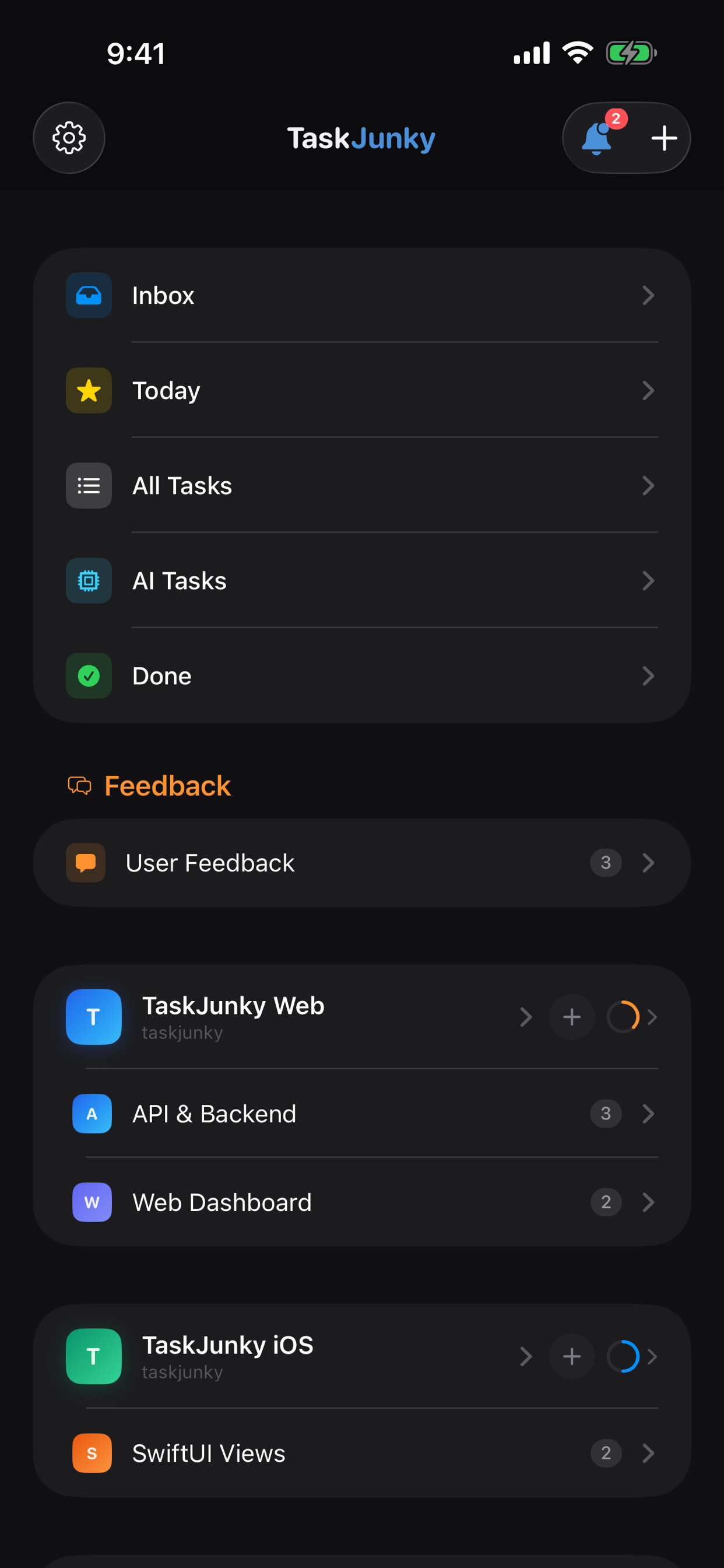
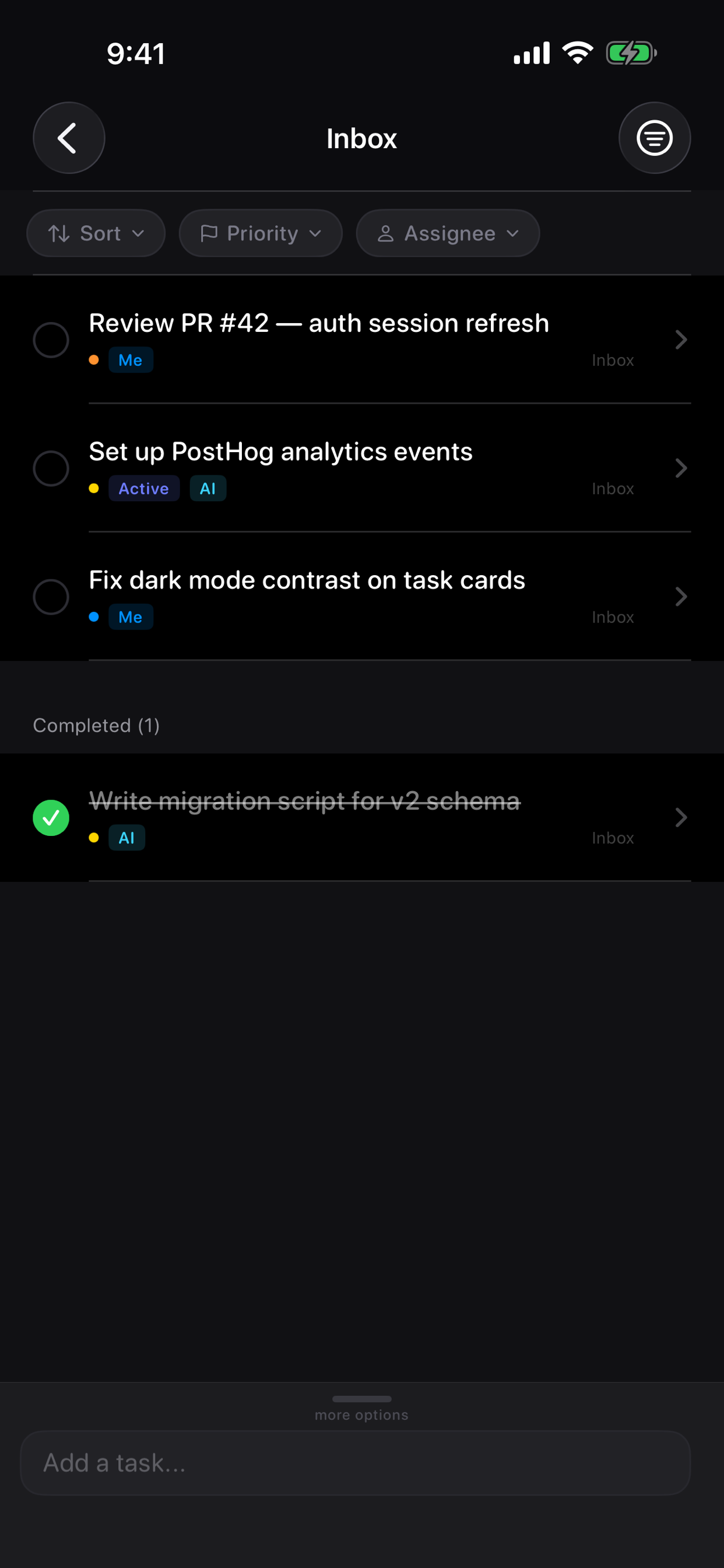
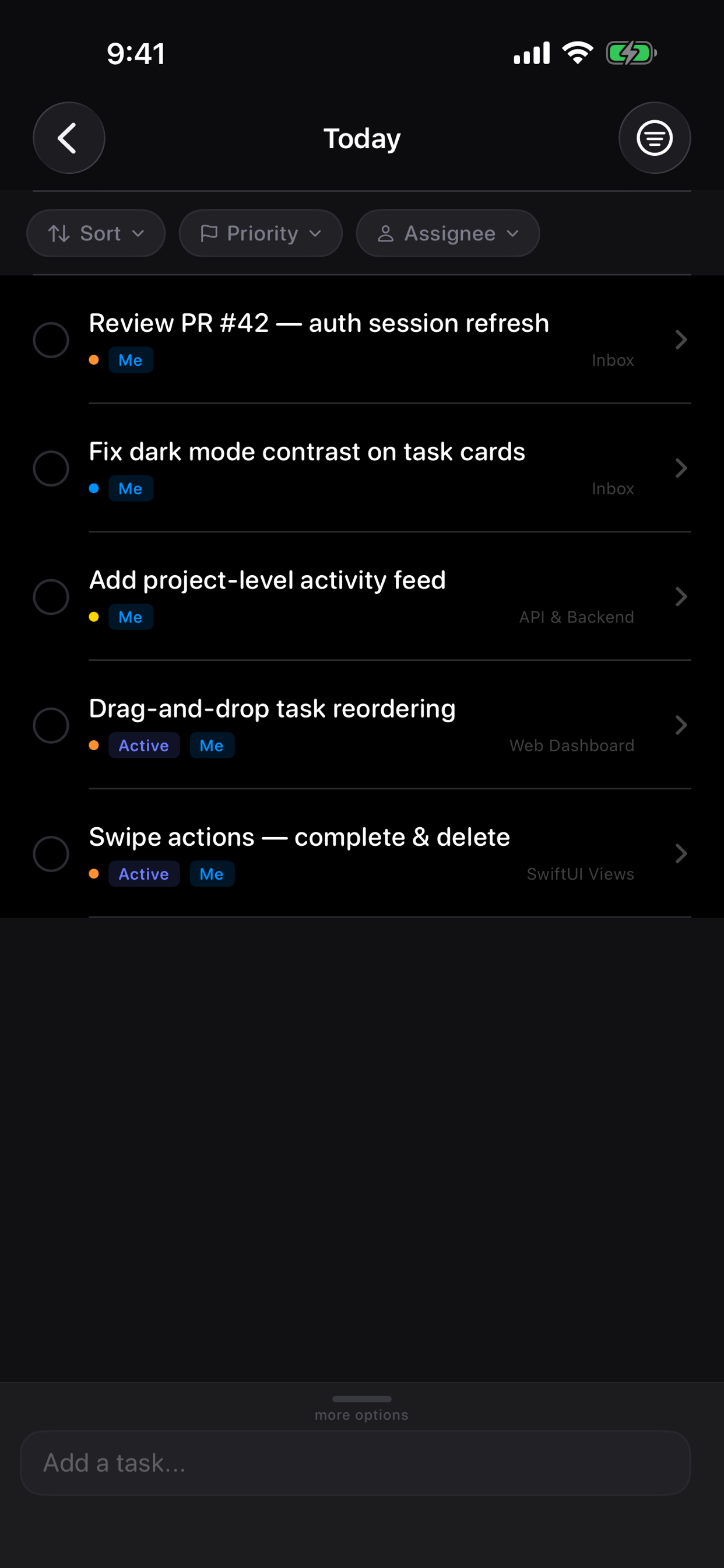
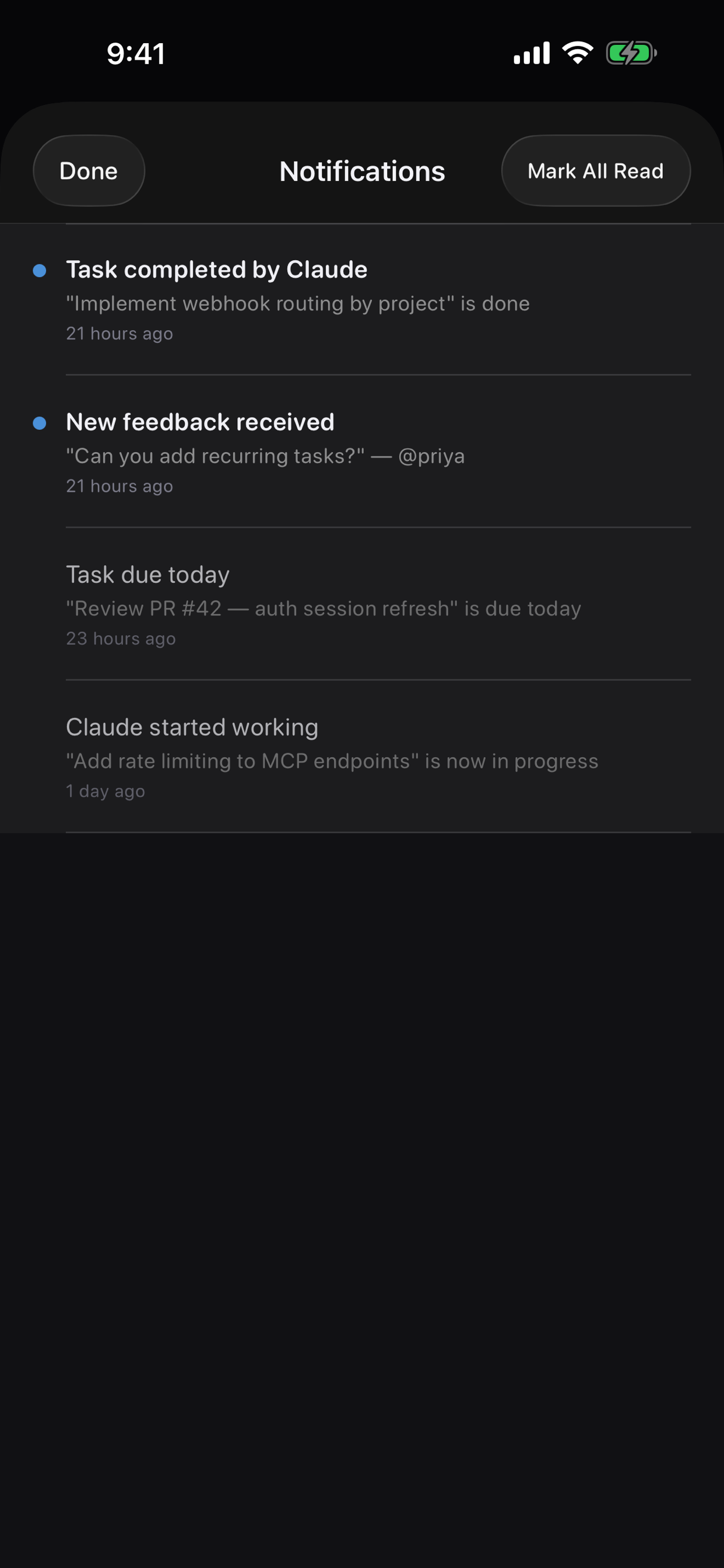
Take it with you. Coming soon to iOS.
Native iOS app with swipe actions, inline editing, push notifications, and real-time sync.
Coming Soon
Sidebar

Inbox

Today

AI Tasks

Task Detail

Notifications
Simple by default. Powerful when you need it.
Voice Capture
Say it out loud and it becomes a task. Continuous listening, smart parsing, zero friction.
Smart Dates
Type 'Friday' or 'next week' and the due date just works. Natural language, not date pickers.
Smart Lists
Inbox, Today, Overdue, Scheduled, Done — auto-filtered views of what matters right now.
Projects & Tags
Organize with projects, nested lists, and tags. As simple or structured as you want.
Activity Feed
Full history of every action. Know what changed, when, and why.
GitHub Sync
Link projects to repos. Track issues and PRs alongside your tasks.
Connect your AI agent
23 MCP tools give any AI agent full control — planning sessions, creating tasks, shipping features. One config line to connect.
AI that remembers what it shipped
Every session ends with a summary. Every new session starts by reading it. Your AI picks up exactly where it left off — no repeating context, no lost progress.
Activity logs
Every action tracked with timestamps and metadata
Session summaries
What shipped, what's open, version numbers — all captured
Policy enforcement
Rules persist across sessions, not just conversations
Session ended — Mar 28, 2026
Shipped: SSE real-time updates, project view fix, outloud voice-to-tasks
Version: v1.0.108 → v1.0.113
Completed: 6 tasks
Open: iOS parity Tier 2, landing page, Ramble Mode iOS
Session started — Mar 29, 2026
Loaded context: 5 projects, 19 lists, 12 rules
Read previous session: continuing iOS parity...
Simple enough for everyone.
Powerful enough for AI.
Simple enough for a grocery list. Powerful enough to run an engineering team with AI.
Ready to get things done?
Free to use. No credit card. Start capturing tasks in seconds.